
Running Ollama on iGPU on Linux
Table of Contents
Like everyone, I’m interested in running my own Large Language Models (LLM), so I installed Ollama in my homelab some time ago. Ollama is a tool to easily run LLM, and exposes this local AI as a server to be used by other applications. It’s not the best tool to get the most out of the machine, but it’s the simplest to install and manage with plenty of nice QoL.
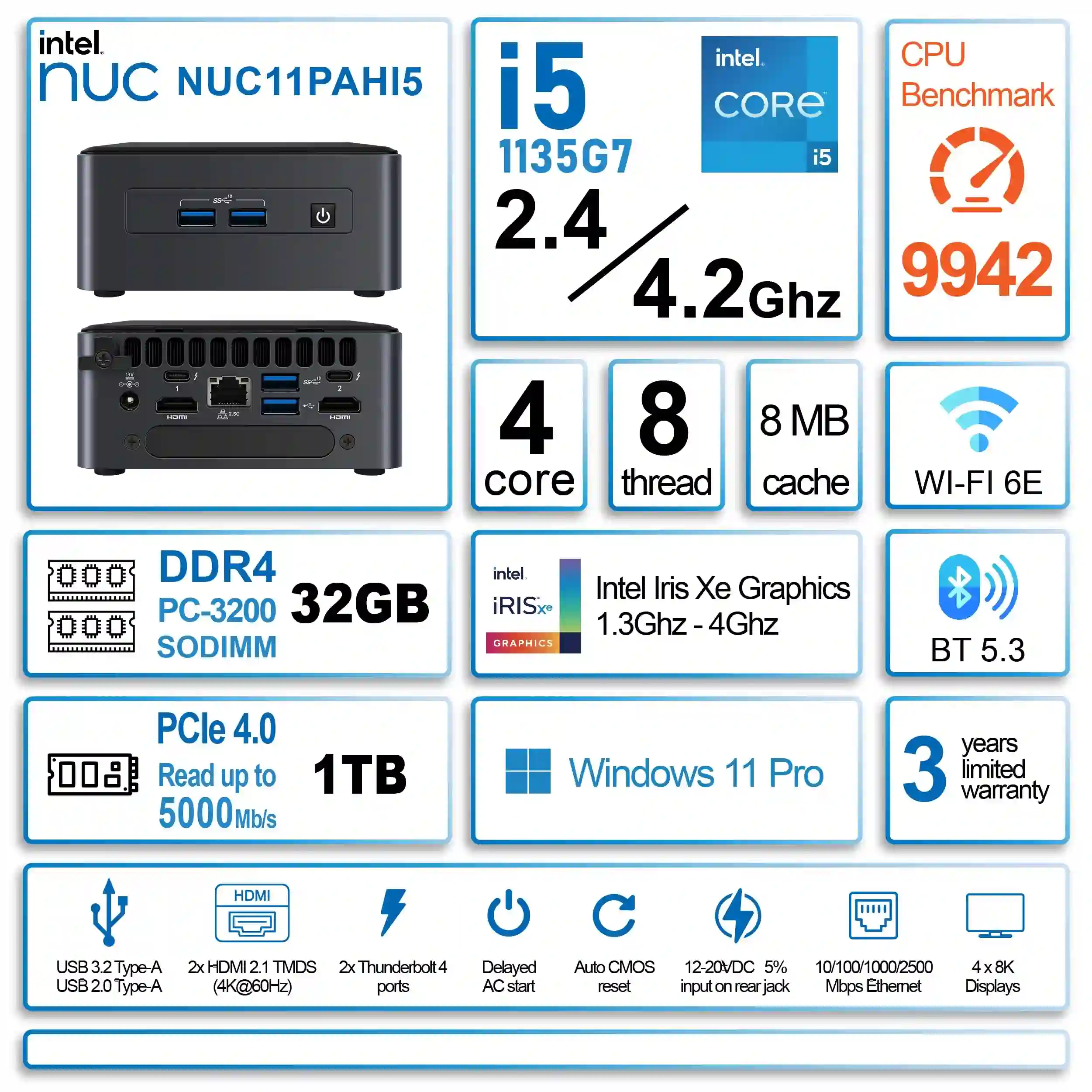
But, since I installed it, Ollama has been the most disappointing service on my home server. The machine I installed it on is an Intel NUC NUC11PAHi5 from 2021 (an 11th-gen Tiger Lake i5-1135G7 with 4 cores, 8 threads, Iris Xe graphics (80@1.30 GHz), and 32 GB of RAM). It runs headless Debian 13, doesn’t have a dedicated GPU and hosts a little less than 40 other Docker containers, all sharing the same 4 CPU cores.
Every model I tried on it felt like a bad joke: the time to generate responses has always been somewhere between “go make coffee” and “why did I even install this.”
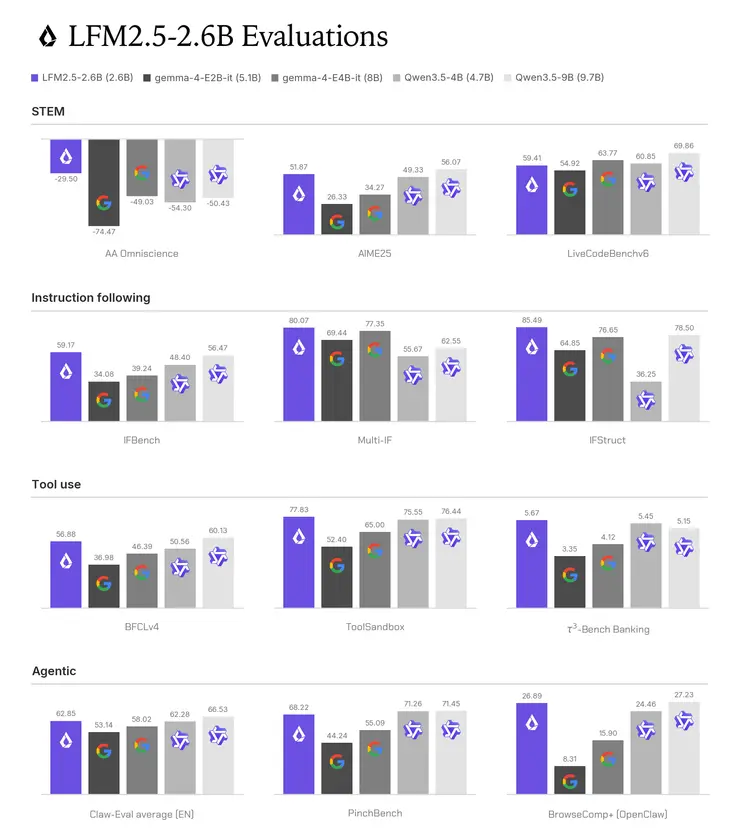
Then Liquid AI released LFM2.5-2.6B. A 2.6B-parameter model with tool calling, a thinking mode, and a GGUF that weighs under 2 GB. Their CPU benchmarks were published on small devices, going all the way down to smartphone inference, not data-center GPUs. That told me everything: this thing was built for hardware exactly like mine. Time to dive in.
Before really diving in, here’s a little glossary to understand all the LLM-world technical words:
- A Token is one of the pieces a sentence, or even a long word, gets cut into for the model to understand it. It applies both to what’s ingested by the model and to what is generated by it.
- Prompt is the name for any message sent by the user (either a sentence, a question, some debug logs, etc). A prompt is split into several tokens.
- Prefill is how fast the model reads your prompt. It sets how long you stare at a blank screen before the first word appears.
- Decode or Inference is how fast it writes the answer. It sets how quickly text scrolls past once it starts. Both are measured in tokens per second, and the gap between them is the whole story.
The CPU baseline
Ollama returns timings on every /api/generate call, so no benchmark tools are needed. You just divide token counts by durations.
To start testing this new model on my machine, I first started naively and used a ten-token prompt (the prompt being: “Summarise TCP congestion control in 300 words.”), but I quickly realized that it was too small to really get numbers to compare and everything collapsed within statistical noise.
So I built a bigger/realistic prompt: the first 12,000 characters of the tcp man page, stripped of formatting, followed by a request for a 100-word summary. That comes to ~3,000 tokens, which is more representative of what an agent actually sends: a wall of retrieved text with a short instruction tacked on at the end. The reply is capped at 100 tokens so the decode figure comes from a consistent amount of generation.
TEXT=$(man tcp | col -b | head -c 12000)
jq -n --arg p "$TEXT

Summarise the above in 100 words." \
 '{model:"hf.co/LiquidAI/LFM2.5-2.6B-GGUF:Q4_K_M",prompt:$p,stream:false,options:{num_predict:100}}'
| curl -s http://localhost:11434/api/generate -d @-
| jq '{tokens: .prompt_eval_count,
       prefill: (.prompt_eval_count/(.prompt_eval_duration/1e9)),
       decode: (.eval_count/(.eval_duration/1e9))}'
On that prompt, CPU-only gave 73.5 tok/s prefill and 9.19 tok/s decode.
On the trivial ten-token prompt, decode had been 11.8 tok/s. The same model lost a quarter of its writing speed once it had 3K tokens to keep in mind (also called context in more technical words). That was the first hint of a scaling problem and a sign that the CPU was, as expected, the bottleneck.
Vulkan, because SYCL never landed in Ollama
LLMs are made to work on GPUs and not CPUs (because of plenty of technical reasons related to matrix calculation that I’m not expert enough to explain). So obviously the performance on the CPU is bad, however this CPU has, within the chip, an integrated GPU (or iGPU)1.
I’ll freely exchange “iGPU”, “GPU” and “Iris Xe” in the text. It was depending on my flow while writing, but it always refers to the same thing in my Intel NUC.
Intel’s own path to its i/GPUs is SYCL. Several pull requests adding it to Ollama have been open for a long time, tested on iGPUs and Arc cards alike, and remain unmerged behind merge conflicts or such. So official support doesn’t exist that way, and I should drop Ollama entirely and choose another inference engine. But I’m lazy.
Luckily for me, Vulkan avoids all of that. It’s a generic GPU API that Mesa implements for Intel graphics, it’s already in mainline Ollama, and it needs no Intel-specific runtime. The host just needs the Mesa drivers:
sudo apt install mesa-vulkan-drivers vulkan-toolsThen I checked what Vulkan can actually see:
$ vulkaninfo --summary
'DISPLAY' environment variable not set... skipping surface info
WARNING: [../src/intel/vulkan/anv_physical_device.c:2420] Code 0 : Unable to open device /dev/dri/renderD128: Permission denied (VK_ERROR_INCOMPATIBLE_DRIVER)
WARNING: [../src/intel/vulkan_hasvk/anv_device.c:1602] Code 0 : Unable to open device /dev/dri/renderD128: Permission denied (VK_ERROR_INCOMPATIBLE_DRIVER)
==========
VULKANINFO
==========

Vulkan Instance Version: 1.4.309

[...]

Devices:
========
GPU0:
        apiVersion         = 1.4.305
        driverVersion      = 0.0.1
        vendorID           = 0x10005
        deviceID           = 0x0000
        deviceType         = PHYSICAL_DEVICE_TYPE_CPU
        deviceName         = llvmpipe (LLVM 19.1.7, 256 bits)
        driverID           = DRIVER_ID_MESA_LLVMPIPE
        driverName         = llvmpipe
        driverInfo         = Mesa 25.0.7-2+deb13u1 (LLVM 19.1.7)
Three things in that output matter:
- The llvmpipe trap. The only device that did survive is
GPU0, and the detail is in two fields:deviceName = llvmpipe,deviceType = PHYSICAL_DEVICE_TYPE_CPU. That’s Mesa’s software rasterizer, a graphics card implemented in software on the CPU. It’s a valid Vulkan device, and any program naively looking for “a GPU” will take it without complaint. Hand your inference to it and you get the CPU processing as before, now running through an emulation layer, slower than plain CPU inference, with nothing anywhere reporting an error. - Device selection.
VK_LAYER_MESA_device_selectsits in the layer list. That’s the mechanism for telling Mesa which device to pick, and it’s how you avoid the llvmpipe trap. - Permission. The two
WARNINGlines say Intel’s driver could not open/dev/dri/renderD128, the graphics card’s render node. My user wasn’t in therendergroup. Run the same command withsudoand the Iris Xe appears. For a container, this means passing/dev/drithrough and adding the render group’s GID.
Here we have my real Iris Xe iGPU available:
$ sudo vulkaninfo --summary

[...]

Devices:
========
GPU0:
  apiVersion         = 1.4.305
  driverVersion      = 25.0.7
  vendorID           = 0x8086
  deviceID           = 0x9a49
  deviceType         = PHYSICAL_DEVICE_TYPE_INTEGRATED_GPU
  deviceName         = Intel(R) Iris(R) Xe Graphics (TGL GT2)
  driverID           = DRIVER_ID_INTEL_OPEN_SOURCE_MESA
  driverName         = Intel open-source Mesa driver
  driverInfo         = Mesa 25.0.7-2+deb13u1
  conformanceVersion = 1.4.0.0
  deviceUUID         = 8680499a-0100-0000-0002-000000000000
  driverUUID         = 2f784820-7750-3c96-f005-19cf15571d8b
GPU1:
  deviceType         = PHYSICAL_DEVICE_TYPE_CPU
  deviceName         = llvmpipe (LLVM 19.1.7, 256 bits)
  driverID           = DRIVER_ID_MESA_LLVMPIPE
  driverName         = llvmpipe
  [...]
So I gave Ollama that device node, set one variable to force the Vulkan backend, and two variables to pin the choice:
devices: ["/dev/dri:/dev/dri"]
environment:
  OLLAMA_VULKAN: "1"
  GGML_VK_VISIBLE_DEVICES: "0"
  MESA_VK_DEVICE_SELECT: "8086:9a49"
GGML_VK_VISIBLE_DEVICES restricts ggml’s own device enumeration. MESA_VK_DEVICE_SELECT drives that Mesa layer, keyed on the “vendor ID:device ID” of the Iris Xe.
Ollama sees the iGPU, and throws it away
To my surprise, after setting Ollama to use the iGPU, it produced no speedup at all. And then this line appeared in docker logs ollama:
level=INFO source=runner.go:405 msg="dropping integrated GPU; to enable, set OLLAMA_IGPU_ENABLE=1"
  id=0 library=Vulkan compute=0.0 name=Vulkan0
  description="Intel(R) Iris(R) Xe Graphics (TGL GT2)" pci_id=0000:00:02.0
Ollama found the Iris Xe, named the right chip, and then discarded it on purpose.
As iGPUs share the memory bus with the CPU they sit within, Ollama’s scheduler assumes they can’t win anything and drops them on startup. The permission and device-selection work above was all correct, and the result was still CPU inference.
The log message also names its own fix: Adding this environment variable in my config
environment:
  OLLAMA_IGPU_ENABLE: "1"
  ...
Benchmarking
The numbers
So, time to benchmark my machine a little.
I’m reusing the same ~3k-token prompt, same LFM2.5-2.6B model at Q4_K_M2, one run with OLLAMA_IGPU_ENABLE=0 (CPU inference) and one with OLLAMA_IGPU_ENABLE=1 (iGPU inference):
| CPU only | Iris Xe via Vulkan | Difference | |
|---|---|---|---|
| Prefill | 73.5 tok/s | 240.0 tok/s | +227% |
| Decode | 9.19 tok/s | 14.35 tok/s | +56% |
Impressive results: the iGPU is beating the CPU across the board, but particularly for the prefilling (ie. the time before the model finishes analysing my prompt).
The second measurement is what really surprised me. Decode speed falls as the prompt grows, it’s normal as the model has more previous tokens to attend to for every new token it writes. How fast it falls is what determines whether long conversations stay snappy or not:
| Prompt size | CPU decode | Iris Xe decode |
|---|---|---|
| ~10 tokens | 11.8 tok/s | 14.6 tok/s |
| 3K tokens | 9.19 tok/s | 14.35 tok/s |
| 6K tokens | not measured | 13.96 tok/s |
The CPU lost 22% of its decode speed going from a trivial prompt to a 3K one. The Iris Xe lost less than 5% per doubling all the way to 6K.
The gap widens because “remembering” a long conversation, for an LLM, is mathematical processing, not memory, and the Iris Xe iGPU has 80 execution units built and optimized for that math. When you’re feeding an agent long tool outputs and multi-turn histories, the speed at 6K tokens matters more than the speed at 10 so the iGPU wins.
How much the iGPU is working
Ollama’s logs report the placement of every part of the model at load time:
load_tensors: offloaded 31/31 layers to GPU
load_tensors:   CPU_Mapped model buffer size =   205.08 MiB
load_tensors:      Vulkan0 model buffer size =  1589.03 MiB
All 31 layers of the LLM are on the Iris Xe chip, 1,589 MiB of them. The 205 MiB left on the CPU is the token embedding table: the lookup that turns a token ID into a vector. It’s a table read rather than a computation, so it belongs where the RAM is and doesn’t really hurt performance.
That’s a clean split, and it explains the numbers. The inference work runs fully on the GPU, while my cores are left with scheduling, picking the next token, and the other containers of my normal server.
Trying to squeeze more from the iGPU
One of the interesting inference settings that Ollama let me play with is num_batch which controls how many prompt tokens Ollama pushes through the GPU in one go during prefill, and the default of 512 looked conservative for my device with nothing else using the iGPU. Raising it to 2048 gave 232.75 tok/s at a 6k-token prompt, against 240.0 tok/s at 3k-token with the default.
No gain, and it reserves an extra 200 MiB on the iGPU to achieve it. I put it back.
The context length trap
Open WebUI is the chat front end I point at Ollama, a self-hosted web UI that handles conversations, models, users and a lot more instead of using Ollama via the CLI. It also fires background requests of its own, and that turned out to matter.
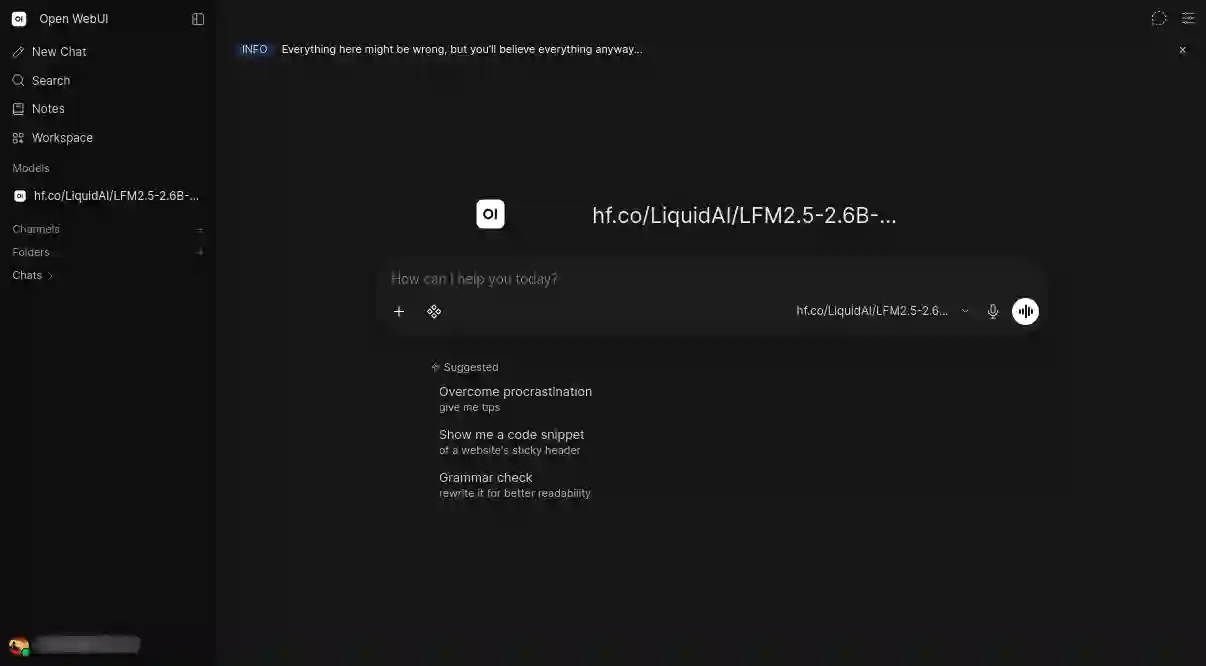
Having seen how well the Iris Xe holds decode speed, I raised the context window to 122K (close to the documentation’s maximum) to see how far it would go. Load times climbed from 34 seconds (after the first message) to 123 seconds across a few turns of a single conversation, on a model that was supposed to stay resident.
After some investigation, it’s those background requests which are the cause. Open WebUI generates a title and tags for each conversation, and those calls carried a different context length than my chat messages. Those are being asked to my default provider: Ollama. Ollama tears down the running model and reloads it whenever the requested context length changes, so every background task (with very small context length) was evicting my conversation and paying the load cost again.
To fix that:
- I set
OLLAMA_CONTEXT_LENGTHand Open WebUI’snum_ctxto the same value. I settled at32768, where prefilling a full window stays under half a minute. OLLAMA_NUM_PARALLEL=2fixes the other half: two slots means Ollama can hold 2 conversations at the same time, giving those background tasks their own slot instead of evicting my conversation each time they run.
One trap while checking this. Ollama reports prompt_eval_count as the full prompt length regardless of how much it actually recomputed, so watching that number grow across turns proves nothing about caching. Divide it by prompt_eval_duration instead: land near the prefill speed measured above (~240 tok/s) and the prompt was reprocessed; land in the thousands and it was reused.
To double check, I sent an identical request twice directly to Ollama, which gave 11.8s then 121ms. Reuse works.
Where it landed
services:
  ollama:
    image: ollama/ollama:latest
    restart: unless-stopped
    ports:
      # Don't expose port on your network!
      # Give it an explicit IP address to be reached on.
      - "127.0.0.1:11434:11434"
    volumes:
      # Where my model is saved
      - ollama:/root/.ollama
    devices:
      # Giving my iGPU to Ollama in the container
      - "/dev/dri:/dev/dri"
    # Avoid using swap memory
    mem_swappiness: 0
    environment:
      # Use Vulkan
      OLLAMA_VULKAN: "1"
      # Use the iGPU please
      OLLAMA_IGPU_ENABLE: "1"
      # This iGPU
      GGML_VK_VISIBLE_DEVICES: "0"
      MESA_VK_DEVICE_SELECT: "8086:9a49"
      # Other settings
      OLLAMA_KEEP_ALIVE: "-1"
      OLLAMA_MAX_LOADED_MODELS: "1"
      OLLAMA_NUM_PARALLEL: "2"
      OLLAMA_FLASH_ATTENTION: "1"
      OLLAMA_CONTEXT_LENGTH: "32768"

volumes:
  ollama:
From 73 tok/s to 240 tok/s prefill, and 9.2 tok/s to 14.4 tok/s inference. On hardware without a dedicated GPU.
One bottleneck I didn’t present stays, and it stays for a boring reason. dmidecode shows that my two 16 GB SODIMM sticks are rated at different speeds (one at 3,200 MT/s and one at 2,400) so DDR4 clocks the whole subsystem down to 2,400 MT/s. Matching them should push decode to somewhere near 16 or 17 tok/s. But a single 16 GB DDR4-3200 stick now costs more than $100, which is too much money for three tokens per second on a five-year-old NUC.
Regardless, I’m really happy about how things turned out and I now have my very own slow not-that-slow personal AI that I’ll be able to play a little with.
I made a follow-up article to continue to fine-tune my installation and run concurrent job on my iGPU.
Feel free to discover it here : https://arthurbrugiere.fr/blog/2026/08/llama-server-lfm-parallel/